
WordPress basically runs everywhere. The more honest question is: does it still run smoothly when your project grows, you install plugins and suddenly there are many visitors on the site at the same time? This is exactly where hosting decides whether your site remains a reliable tool or becomes a stress factor with every small growth spurt.
You don’t have to be a server pro to do this. You just need to answer three things honestly. Then the right option will almost automatically become clear.
Three questions you should ask yourself beforehand
Before you decide on a hosting solution, clarify for yourself:
- How big is your project today, and what do you want it to become? A landing page, a blog with a few articles per week, a portfolio? Or a store, a member area, a platform with several authors?
- How much technology do you want to handle yourself? Updates, backups, extensions. Or should it simply run in the background?
- How much performance do you really need? Clean loading times are a must. But “performance” means something different for a small site than for a store with a hundred orders a day.
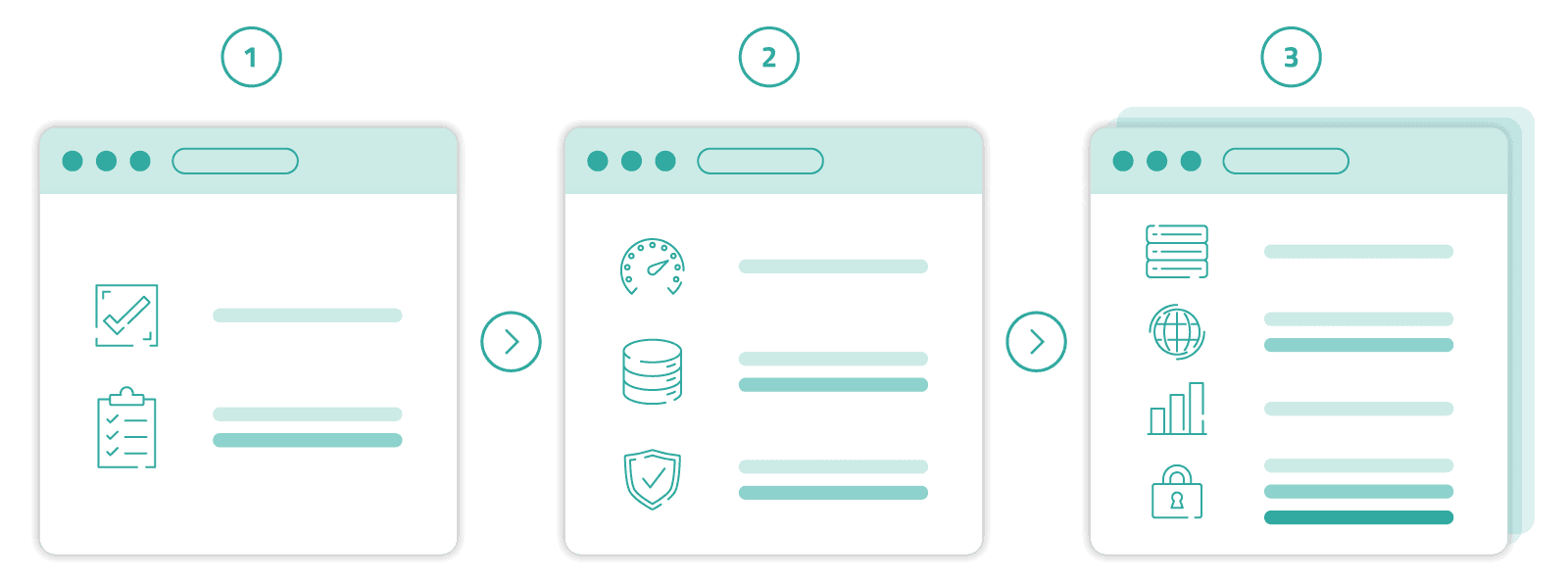
The answers above result in three typical hosting levels, which we will now look at. In practice, almost every WordPress project is in one of these stages. And if your project is running in one level even though the demand is already one level higher, you’ll notice this sooner than you’d like. In the end, this will cost you more nerves than the few euros extra per month.
Level 1: the small, clear website
If you run a simple business website, a portfolio, a club website or a quiet blog, you don’t need a special solution. You need an environment in which WordPress simply runs reliably without you having to worry about the substructure.
The smallest entry-level plan is completely sufficient here. You get a ready-made environment with PHP, database and mail function, install WordPress with a click and get started. Platform maintenance, server security, accessibility: all this happens in the background.
This option is suitable if you want to focus on content rather than infrastructure and your traffic is stable and predictable. Sites with a few dozen to a few hundred visitors per day, a manageable number of plugins and content that does not need to be constantly regenerated are typical here.
It becomes inappropriate as soon as you regularly set up large plugin stacks, run a serious store or expect peak loads. Even if you want to run several projects in parallel under one web hosting package, you will quickly reach the limits of the entry level.
Level 2: the growing site
This is where it gets interesting. And this is where most projects end up at some point. You already have a few thousand visitors per month, a few plugins, perhaps WooCommerce with a manageable range, a newsletter tool, a caching plugin. It’s running, but you notice that it gets tighter with every second plugin update.
In this phase, a plan with more reserved resources that still gives you comfort helps. You get more CPU and RAM, more parallel PHP processes and are slowed down less quickly during peaks. The backend also responds quickly again when you are working in the editor or updating plugins.
Clean hygiene is important at this stage: a caching plugin, regular backups, the latest PHP version, lean themes. More hosting alone won’t fix poorly chosen plugins. But good hosting prevents your project from collapsing under its own growth.
If you’re at this stage, it’s also worth taking a critical look at your own plugin collection. Three lean, actively maintained plugins are almost always better than eight that were installed at some point. Every additional plugin is one more piece of code that needs to be loaded, maintained and backed up.
Level 3: the serious setup
As soon as you run a store with real sales, a larger member area or a multi-author setup, the requirements change. Now you need hosting that has a predictable reserve, even if newsletters go out in the morning or a campaign starts.
This is the point at which it’s worth reaching for a larger plan. You get more guaranteed performance per account, larger databases, more storage space and more domains. This gives you room for multiple WordPress installations or a larger WooCommerce setup under one roof.
Mail is also often relevant at this stage. Order confirmations, password resets, newsletter triggers: if such emails need to go out reliably, generous mailboxes and stable delivery channels are no longer a detail, but part of your business model.
Important: more hosting is no substitute for a clean foundation. Caching, optimized images, lean plugins and a good theme are still half the battle. But you have the buffer that a growing project needs without having to become a server admin yourself.
What you should look out for beyond the package
No matter which level you end up in, a few things are always the same. Server location and data protection jurisdiction are relevant if you have customers in Europe. SSL must be standard today, not a surcharge. Backups should not be scheduled only when you need them. And PHP versions should be updated regularly.
Support is just as important. If something goes wrong at two o’clock in the morning, you don’t want to have to go through a maze of tickets, you want an answer from someone who knows the system. A clear migration path is also important: You should always know how to move your project up a level without losing content or emails.
These points are not “nice to have”. They are the difference between hosting that takes the pressure off you and hosting that makes work for you later.
How to find the right level for you
If you’re unsure, a simple test will help. Take a look at how your site has developed over the last six months. Are visitor numbers stable or increasing? Have you regularly added new plugins? Has your backend become noticeably slower? If you look at these questions honestly, you can usually already see what stage the project is currently at.
If in doubt, it’s better to choose a size larger, especially if you’re planning to become more active next year. Slightly oversized hosting is not a problem. A hosting that is too small and keeps hitting the wall will cost you hours of support, workarounds and troubleshooting.
FAQ
Is cheap web hosting enough for WordPress?
For small, quiet projects: yes. As soon as you regularly install plugins, add store functions or have more than a few hundred visitors per day, things get tight. Then it’s worth thinking one level higher.
Do I absolutely need “Managed WordPress”?
No. Managed setups are convenient because updates and caching are taken care of for you. However, WordPress runs just as well on a proper web hosting if you install updates regularly and use a caching plugin.
When should I switch from a small to a larger web hosting package?
If you regularly reach the limits of your resources, your site becomes sluggish with more visitors, or you want to run several projects under one roof. A good time to switch is before the old package reaches its limits, not only when the site is already struggling.
What about performance and loading time?
Hosting is the foundation, but not the whole answer. A lean theme stack, well-maintained plugins, up-to-date PHP version and caching often make the biggest difference. At every hosting level.
Can I change hosting later without losing my content?
Yes, WordPress content, database and media can be moved. Within the netcup web hosting packages, switching to a higher tier is particularly easy because the platform remains identical.
How much storage space does a WordPress site actually need?
A content-only site can often get by with just a few hundred megabytes. As soon as many images, videos or a store with hundreds of products are added, a few gigabytes are realistic. It’s better to plan a reserve than to run short later on.
⚡ Verified Netcup Coupon Codes & Vouchers
Looking for active Netcup discount codes? Redeem real-time checked vouchers below: