

The netcup Server Control Panel (SCP) is getting a modernized interface. Over the years, the old UI has become inflexible in many areas — for example, when working with multiple tabs or making adjustments that are standard these days.
With this rewrite, outdated UI components are being replaced. Functionally, nothing changes: all features remain in place, but the interface becomes more contemporary and noticeably smoother in day-to-day use.
Beta timeline
The beta runs from May 18 to June 5, 2026. During this phase, the new UI is available in parallel with the existing one — you decide for yourself when and how often you use it. On June 8, the beta status will be lifted and the new UI will become the standard for all customers.
How to access the new UI
Directly from the existing SCP: in the top right of the navigation you’ll find the “UI [BETA]” button. One click and you’re in the new interface.
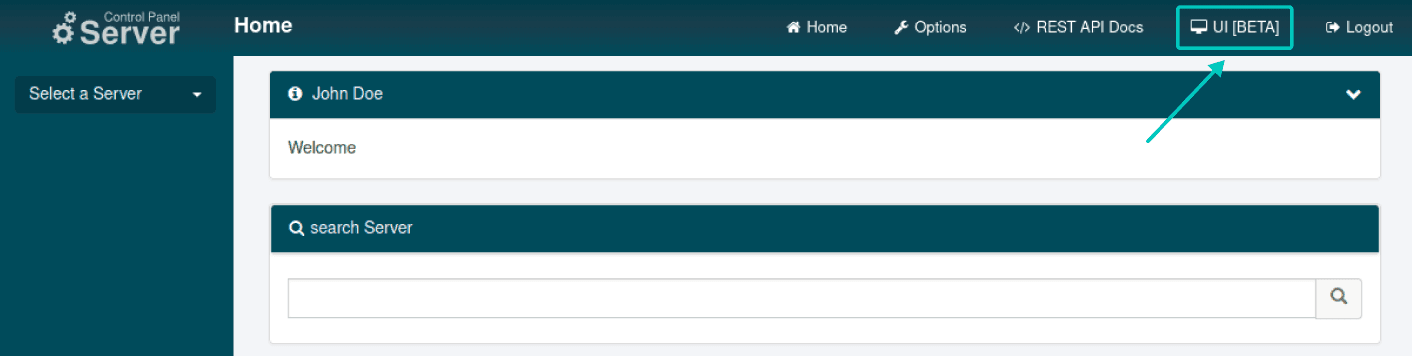
Alternatively, you can also log in directly at: www.servercontrolpanel.de/scp-ui/
Your login details are the same as before.
New login page after the beta
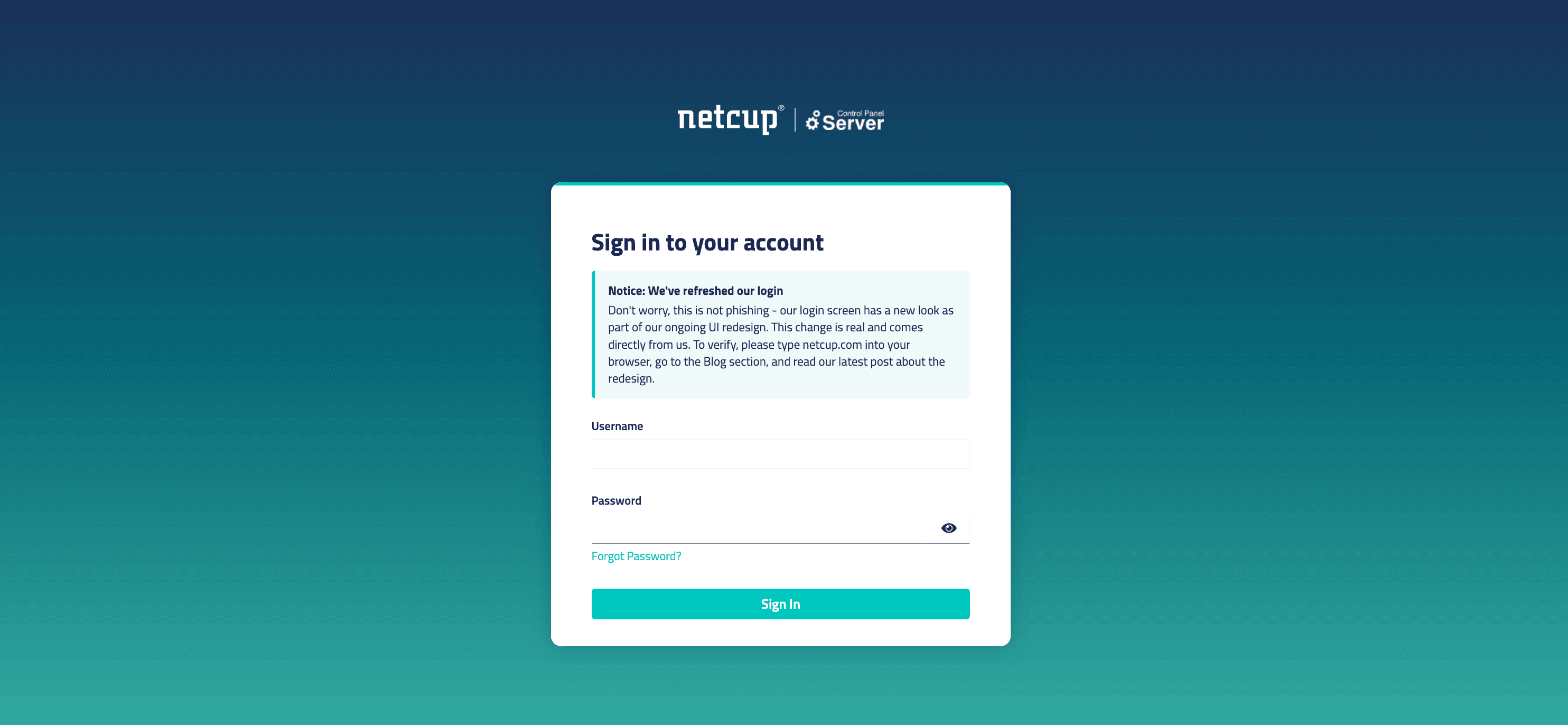
Important to note: during the beta, you log in as usual. After the beta phase is complete, the login page will also switch to the new design. If you then see a changed login screen with the netcup and SCP logo, this is not a phishing attempt but the official new login under the familiar domain.
As always, we still recommend: check the URL, use bookmarks, and never log in via links from emails whose sender you can’t clearly identify.
Where you can give feedback
The beta exists for exactly this purpose — we want to know what works and what doesn’t. There’s a dedicated section in the netcup forum for collected feedback, where you can create separate threads per question or per bug.
Particularly relevant:
- How do you like the design and usability in everyday use?
- Are you experiencing bugs or unexpected behavior?
- How does the UI work on mobile and in different browsers?
We actively follow along and continuously incorporate feedback into development. Status updates will be posted directly in the forum.
What happens after the beta
On June 8, 2026, the new UI will be activated for all users and will replace the previous interface. Larger managed cloud customers with their own custom UI may be exempt from this.
Until then: try it out, compare, and report whatever stands out. The more real-world feedback we gather during the beta, the better your experience will be at launch.
FAQ
Do I have to change or reconfigure anything?
No. Your servers, settings, and credentials remain unchanged. Only the interface through which you manage them changes.
Can I switch back to the old UI if something doesn’t suit me?
During the beta, yes. Both versions run in parallel and you choose freely. From June 8, the new UI is the standard.
Are there new features in the functional scope?
For this release, the focus is on the UI, there are no new product features. Whatever you can do in the SCP today, you can also do in the new interface, just in a more modern way.
How do I recognize the official new login page after the beta?
It’s located under the familiar netcup domain and shows the netcup logo together with “Server Control Panel”. Pay attention to the URL in the address bar and don’t follow login links from unsolicited emails.
Where do I submit specific feedback?
In the dedicated section in the netcup forum. You’ll find the link to the forum directly on the home page in the info box after logging in.
⚡ Verified Netcup Coupon Codes & Vouchers
Looking for active Netcup discount codes? Redeem real-time checked vouchers below: